
Introduction
Modern GIS applications are no longer limited to static maps. Many real-world problems involve change over time—moving vehicles, evolving land use, weather patterns, sensor feeds, flight paths, or historical data analysis.
This is where QGIS Temporal Playback becomes a powerful feature.
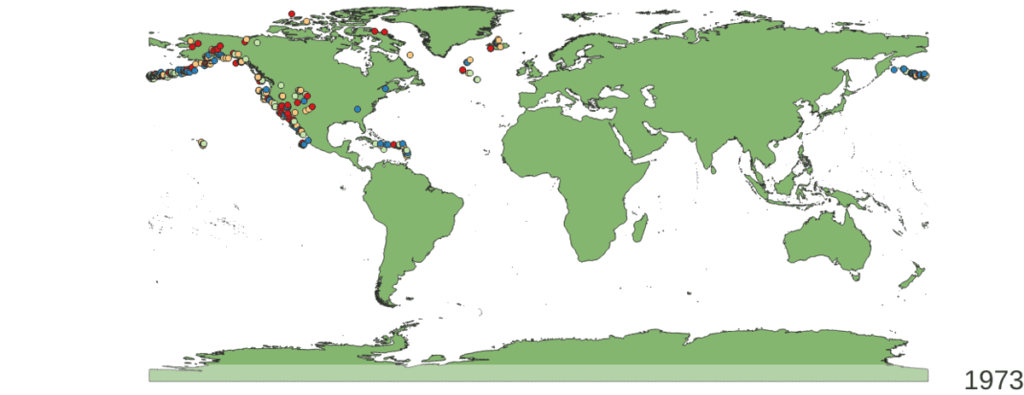
QGIS provides a built-in Temporal Controller that allows users to visualize, animate, and analyze time-enabled geospatial data seamlessly. It helps transform raw timestamped data into meaningful insights through interactive playback and animations.
What is QGIS Temporal Playback?
QGIS Temporal Playback enables visualization of time-aware layers by associating features with date-time attributes. Once configured, users can:
- Play data forward or backward in time
- Control playback speed
- Pause, scrub, and jump to specific timestamps
- Animate spatial changes dynamically
Temporal support works with:
- Vector layers (points, lines, polygons)
- Raster layers (time-series imagery)
- Database-backed layers (PostgreSQL / PostGIS)
- Live or simulated data feeds
Common Use Cases of QGIS Temporal Playback
1. Vehicle, Aircraft & Ship Movement Tracking
- Radar tracks
- AIS ship data
- Flight paths
- Logistics and fleet monitoring
Visualize movement trails, speed changes, and positional history over time.
2. Defense & Security Applications
- Surveillance track replay
- Mission planning analysis
- Situation awareness playback
- Incident reconstruction
Temporal playback helps analysts review events exactly as they unfolded.
3. Urban Planning & Infrastructure Monitoring
- Traffic pattern analysis
- Construction phase visualization
- Utility network changes
- Smart city dashboards
Understand how cities evolve over time.
4. Environmental & Disaster Management
- Flood progression
- Forest cover change
- Weather data visualization
- Earthquake or cyclone impact analysis
Temporal animation improves preparedness and decision-making.
5. Historical & Research Analysis
- Land use change detection
- Population growth patterns
- Climate trend studies
Replay historical datasets for comparison and insights.
Advantages of Using QGIS Temporal Features
✅ Open-Source & Cost-Effective
No expensive licenses. Ideal for startups, government projects, and enterprises looking for scalable solutions.
✅ Native Integration with QGIS Tools
Temporal layers work seamlessly with symbology, labeling, filters, and expressions.
✅ Database-Friendly
Excellent support for PostgreSQL/PostGIS time-enabled layers, including large datasets.
✅ Highly Customizable
Temporal playback can be extended using:
- PyQGIS
- QGIS plugins
- Custom Qt-based GIS applications
✅ Cross-Platform
Runs on Windows, Linux, and macOS, making deployment easy.
Creating Animations with QGIS Temporal Controller
QGIS allows exporting temporal playback as high-quality animations:
- MP4 or image sequences
- Custom frame intervals
- Dynamic labels and symbology
- Time-based styling (size, color, opacity)
These animations are extremely useful for:
- Client presentations
- Reports
- Training material
- Decision-making dashboards
Temporal Playback in Custom GIS Applications
Beyond QGIS Desktop, temporal features can be embedded into custom GIS applications built using:
- QGIS API
- Qt & C++
- Python (PyQGIS)
- PostgreSQL/PostGIS
- Real-time TCP/UDP data streams
This enables:
- Real-time + playback modes
- Controlled user access
- Domain-specific workflows
- Integration with external systems
Conclusion: Build Powerful Time-Aware GIS Solutions with QGIS
QGIS Temporal Playback is a game-changer for organizations dealing with time-based geospatial data. Whether it’s real-time tracking, historical analysis, or animated visualization, QGIS provides a robust and flexible foundation.
At Manya Technologies, we specialize in custom GIS application development using QGIS—from desktop GIS tools to enterprise-grade, real-time, and simulation-based systems.
Why Choose Us?
- ✅ Expertise in QGIS, Qt, C++, and PostGIS
- ✅ Cost-effective solutions
- ✅ Faster delivery in short timelines
- ✅ Support for Indian as well as foreign clients
- ✅ Custom-built solutions tailored to exact requirements
📩 Indian and international vendors are welcome to collaborate with us.
If you’re looking for a reliable partner to build or enhance your GIS application using QGIS temporal capabilities, contact Manya Technologies today.